Overview
iRyde OS is built for professional black car, limousine, executive transportation, concierge, affiliate, and specialty transportation operators. The platform is designed around reservation-first operations, dispatch visibility, flight-aware workflows, customer records, driver coordination, and AI-assisted support.
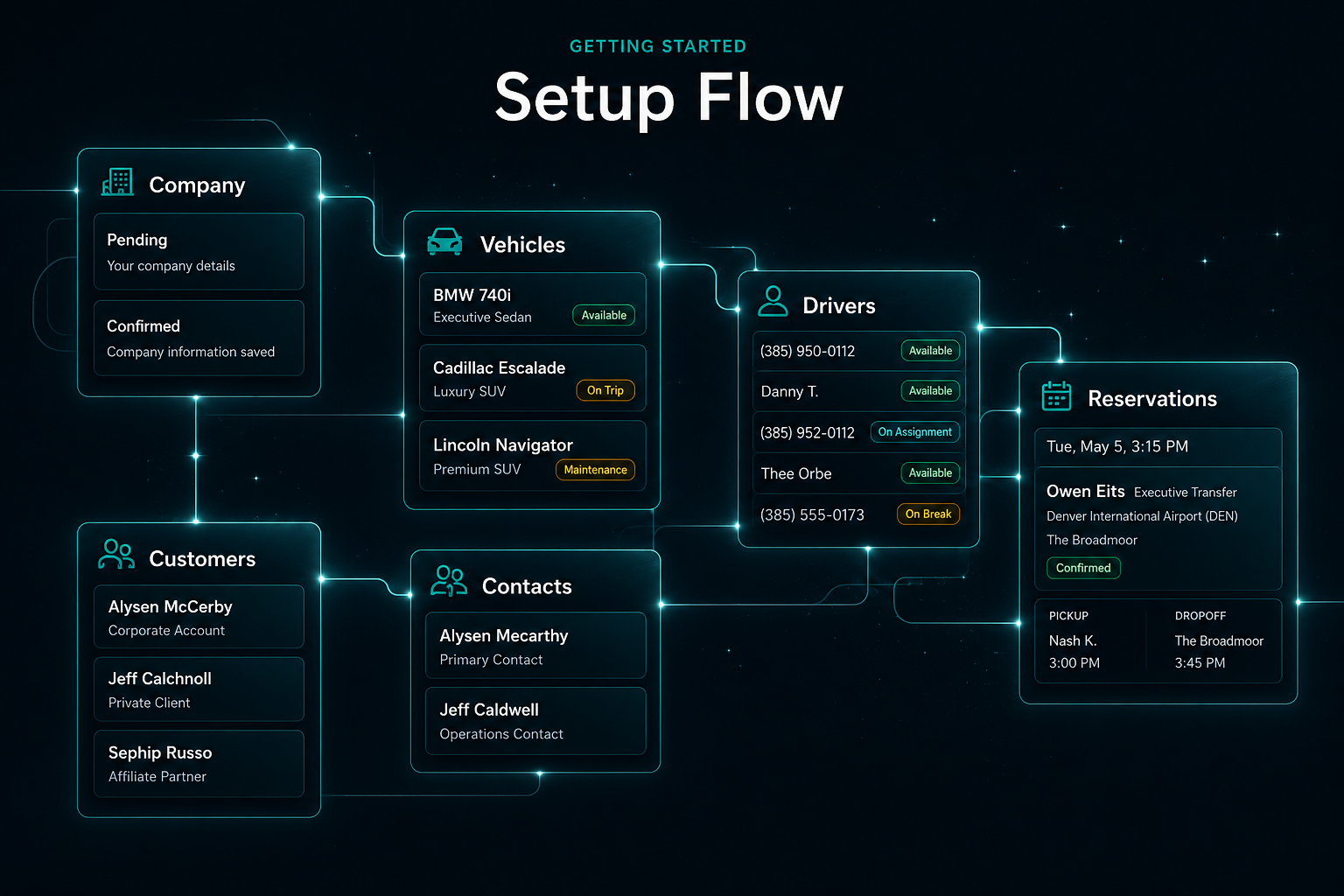
Recommended Setup Order
- Set up company profile
- Add vehicles
- Add drivers
- Add customers/accounts
- Configure service types and rates
- Connect integrations
- Create first reservation
- Assign driver and vehicle
- Send confirmation/dispatch communication
- Review reservation on dashboard and dispatch screens
Core Areas of iRyde OS
Dashboard
A command view for upcoming reservations, active work, operational pressure, and daily readiness.
Reservations
Create and manage trip details, passengers, pickup timing, stops, service type, and notes.
Dispatch Control
Assign drivers and vehicles, monitor live work, and keep the operation moving with clear visibility.
Customers & Accounts
Maintain clean company, client, passenger, preference, and account records for better service.
Drivers & Vehicles
Organize chauffeur profiles, fleet details, readiness, and operational assignments.
Communications
Send confirmations and dispatch communication with the right reservation context.
Calendar Sync
Keep reservations visible across the tools your team uses to plan and review the day.
Flight Verification
Add flight details where applicable so airport transportation workflows have better timing context.
Co-Driver AI™
Use AI-assisted operational intelligence to surface schedule risk, dispatch pressure, and next-step context.
First Reservation Workflow
Start by creating a reservation, then add the customer or passenger record. Enter pickup and dropoff details, include flight information when the trip involves airport service, assign the appropriate vehicle and driver, save the reservation, send confirmation, and monitor the trip from dispatch.
Operator Best Practices
- Keep customer and passenger info clean.
- Verify airport and flight details early.
- Assign drivers as soon as practical.
- Use notes for operational context.
- Review dashboard before each shift.
- Use dispatch screen as the live operations view.
What to Set Up Before Going Live
- Company details
- Driver profiles
- Vehicle profiles
- Rate structure
- Email/SMS settings
- Google Maps keys
- Calendar integration
- Payment settings when ready
- Flight provider settings when ready